
Webador, WordPress or Vercel: Which Should Your Business Website Use in 2026?
Webador, WordPress or Vercel for a business website in 2026? Control, mobile speed, upkeep, security, ownership and cost compared, and who each one suits.
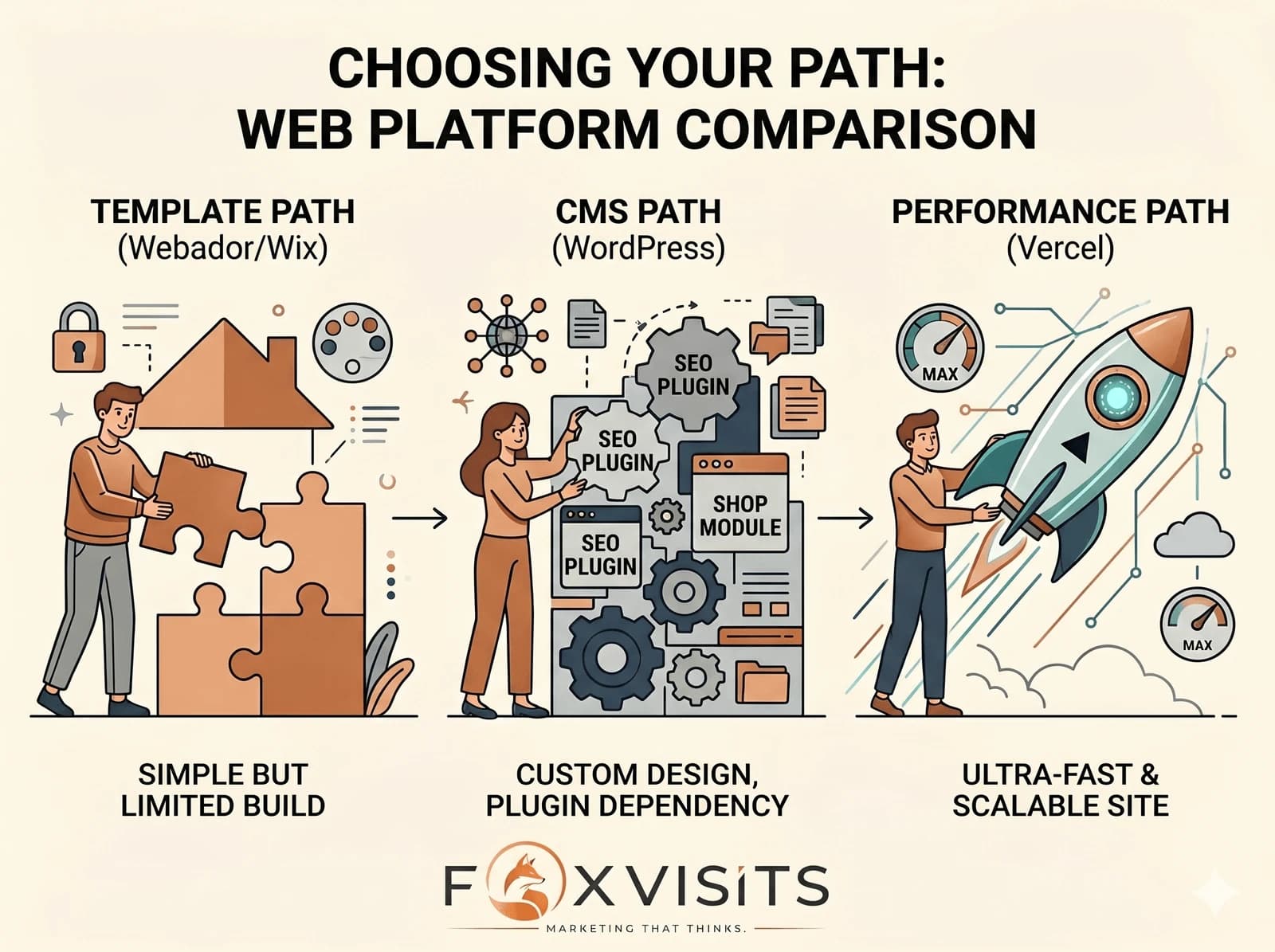
Quick answer
If your website has to bring in enquiries, choose a site built in code and hosted on Vercel: its pre-built pages load quickly on a good connection and leave no database or admin login to attack. WordPress suits a team that edits a lot and keeps up with updates; Webador or Wix suit a simple first site. With us, a 5–7 page business site starts from €1,300 plus VAT and takes 4–8 weeks.
Which should a business website use in 2026: Webador, WordPress or Vercel?
If the site has to bring in enquiries, our default is a site written in code, built into ready pages and hosted on Vercel.
WordPress is still a reasonable choice when you want to edit everything yourself and someone looks after the updates.
Webador or Wix fit a simple first site you build alone.
This is how we build a business website today, and below is why.
Many of our conversations start with a good-looking builder site that brings in very few enquiries from search.
The platform is rarely the only cause: the content, the Google Business Profile and links usually matter more.
But the platform decides how much of the rest you can fix.
A note on names.
Vercel is a hosting platform, not a site builder.
Here, Vercel stands for a website built with a framework such as Next.js, turned into finished pages and served from Vercel's network.
The same approach also runs on other hosts.
What Should You Judge a Website Platform On?
A business website has two jobs: to be found by the right people and to convince them to get in touch.
A site that is not found never gets to the second job, so a low monthly fee says little about its value.
Before you compare prices, compare the platforms on these seven points.
- Control: can you change the page structure, the headings, the code and what loads first, or only the text and pictures?
- Speed on a phone: how fast the pages load on a mobile connection. You can test any site for free in Google's PageSpeed Insights.
- Readability for crawlers: do the pages arrive as finished text, or does the browser have to build them first by running scripts?
- Security: what there is to attack, and who keeps it patched.
- Ownership: can you take the site to another host, or does leaving mean a rebuild?
- Upkeep: how much work the site needs every month to stay fast and safe.
- Editing: who changes the content, and how easily.
Webador and Wix: Quick to Start, Limited to Grow
Builders like Webador and Wix were made so that anyone can put a website online without code.
For a simple first site they do the job.
The price of that simplicity is control.
You can edit titles, descriptions and text, but the templates, the way the pages are rendered and much of what loads with them are decided by the platform.
That shows most on phones.
A builder site loads the platform's own scripts and styles, and you cannot remove the ones you do not use, so mobile speed is often its weak point.
Slow on a phone is a quick way to lose a customer in Cyprus who is comparing three businesses while standing in the street.
The other limit is ownership.
You rent the platform.
If it changes its rules, its plans or its prices, your site changes with it, and moving away usually means rebuilding the site elsewhere.
Paying every month is not a saving if the enquiries go to a competitor.
Good fit: a simple first site, a side project or a test of an idea.
A builder site gets you online quickly. The question is what you can still change when you need it to do more.
WordPress: Full Control, Regular Upkeep
WordPress earned its place.
For well over a decade it has been a sensible choice for a business website, and a large part of the web still runs on it.
It gives you real control: you can host it where you like, shape your SEO and build almost anything.
The cost shows up later, in upkeep.
A typical WordPress site builds each page from a database when someone visits, unless a caching layer serves a stored copy.
It runs on a theme and a stack of plugins (small add-ons) that need regular updates and sometimes clash with each other.
WordPress is also a frequent target of attacks because it is the most widely used content management system, so its login page and outdated plugins are probed all the time.
Getting WordPress to load as fast as a pre-built site can take caching, tuning, extra plugins and better hosting, and that can cost as much as building on a modern setup from the start.
You can absolutely win with WordPress.
You just keep paying for it in upkeep.
Good fit: a team that publishes often, wants to edit everything without a developer and has someone responsible for updates.
Vercel: Pre-built Pages and Less to Maintain
A site on Vercel turns the old model around.
Instead of a server building each page from a database when someone visits, the pages are built in advance as finished files and served from a network of servers around the world, close to the visitor.
Pages load quickly on a good connection.
That is a good start for Core Web Vitals, Google's measurements of loading (LCP, ideally within 2.5 seconds), responsiveness (INP, under 200 milliseconds) and visual stability (CLS, under 0.1).
Google says its ranking systems use Core Web Vitals, but also that it shows the most relevant content even when the page experience is weaker.
Speed helps; it does not replace good content.
Finished pages arrive as readable text, so any crawler can read them without running scripts.
Google's own JavaScript guide says server-side rendering or pre-rendering is still a good idea, because it makes a site faster for users and crawlers and not all bots can run JavaScript.
That covers the crawlers behind AI tools too: what they cannot read, they cannot use.
Security is simpler.
The public site has no database and no admin login for attackers to probe, so the most common attacks on a typical WordPress site have nothing to target.
The code is yours and can move to another host.
There are trade-offs.
Changing the structure of the site needs a developer.
Everyday text changes go through a content editor set up with the site, or through a short request to whoever runs it.
And Vercel's free Hobby plan is for personal, non-commercial use, so a business site belongs on the paid Pro plan.
Good fit: a business that wants the site to bring in enquiries and would rather not maintain it.
That is why we no longer reach for WordPress by default, and why the website you are reading runs on Vercel.
How Do Webador, WordPress and Vercel Compare?
Take away the marketing and the choice comes down to a few plain things: speed, how readable the site is for Google and AI tools, how much looking after it needs, and who really owns it.
| Platform | Speed, search and crawlers | Upkeep, security and ownership |
|---|---|---|
| Webador / Wix | Fixed templates and limited control over rendering and loading. Mobile speed is often the weak point. | Little upkeep for you. You rent the platform, and leaving usually means a rebuild. |
| WordPress | Can rank well. Speed depends on caching, tuning and good hosting. | You own the site and the upkeep: updates, plugin clashes and a login page to protect. |
| Vercel | Pre-built pages that load quickly and that any crawler can read. | Little upkeep, no database or admin login on the public site, code you can move. Structural changes need a developer. |
Does the Platform Decide Who Gets Found in Cyprus?
On a market like Cyprus this is practical, not theoretical.
In Paphos, Limassol, Nicosia and Larnaca a tourist or a resident takes out a phone, searches, and contacts one of the first businesses that loads quickly and looks trustworthy.
Of two dentists who are equally good, the one whose site loads fast and says clearly what it does and where has the better chance of the enquiry.
The other may be paying for ads that send people to a page they leave before it has loaded.
AI search adds one more reader.
When someone asks an assistant with web access for a good dentist in Larnaca, the answer can only draw on pages the assistant can fetch and read.
Nobody can promise which businesses it names.
What you can check is whether your pages load fast, arrive as readable text and state your services, area and contact details plainly.
A site built for AI search starts there, and our page on AI search visibility in Larnaca shows what that means for one town.
For the wider picture, see our work across Cyprus.
What Does Each Option Cost to Run in 2026?
For a small business site the platform bill is rarely the big number.
Builder and hosting prices also change often and vary by country, so check the vendor's own page before you decide.
Where we checked a price ourselves, we give the date.
| Platform | What you pay the platform | What that covers |
|---|---|---|
| Webador / Wix | A monthly or yearly subscription. The price depends on the plan and your country. | Hosting, the editor and the templates, for as long as the site stays there. |
| WordPress | The software is free. You pay a host of your choice, plus any paid themes or plugins. | Hosting only. Updates, backups and security are yours, or a paid care plan's. |
| Vercel | Pro plan from USD 20 a month, plus tax (as of October 2026). The free Hobby plan is for personal, non-commercial use. | Hosting and building the pages. Content editing comes with the site that is built, not with Vercel. |
Where Does the Real Money Go?
Three things drive the real cost.
- The build, once: it depends on how many pages you need and how complex the structure is. With us, a small site of 1–3 pages starts from €650 plus VAT and a typical 5–7 page business site from €1,300 plus VAT. A standard site takes 4–8 weeks; a small one with few rounds of changes can be ready sooner.
- Upkeep, separate and ongoing: changes, updates, security and support. You can do it yourself, or we can run it for you. A pre-built site needs much less of it than WordPress.
- The hidden cost: a slow or hard-to-find site, on any platform, quietly losing customers, plus a rebuild later when a cheap site cannot grow with the business.
How Do You Choose the Right Platform?
Answer four questions honestly and the choice usually makes itself.
- Does the site need to bring in enquiries from search? If yes, rule out anything that limits your control over structure and speed.
- Who will edit it, and how often? A team publishing several articles a week may prefer WordPress. A business that changes a few lines a month does not need it.
- Who will look after updates and security? If the honest answer is nobody, choose the option with the least to maintain.
- Do you want to be able to leave? If owning the code matters, a builder is the wrong place to start.
Which Mistakes Cost the Most?
- Choosing on the monthly fee alone, then paying for a rebuild two years later.
- Moving platform without a redirect plan. Every old address has to point to its new one, or you lose what you had built. Our guide on redesigning a website without losing SEO walks through it.
- Expecting a new platform to fix rankings on its own. Speed and clean code help, but content, your Google Business Profile and links still do most of the work.
- Running a commercial site on a free plan meant for personal use.
You do not need the platform with the prettiest templates. You need the one that gets your business found, with as little upkeep as possible. For most businesses that want enquiries, that is a fast, pre-built site you own. Not sure where your current site stands? Measure it first: its speed on a phone, whether Google finds its pages, and whether they arrive as readable text.
Not sure if your current website is helping you or quietly costing you customers? We will check its speed, its search visibility and how readable it is for AI tools, and show you what a modern build would change.
Get a free website checkFrequently asked questions
Is WordPress dead in 2026?
No. WordPress still runs a large part of the web and can work well. It comes with steady upkeep: updates, plugins, security and tuning for speed. For many new business websites, a pre-built site on Vercel gives the same control over SEO with less to maintain.
Why not just use Webador or Wix to save money?
You can, for a simple first site. If the site has to bring in enquiries, the limits matter more than the fee: limited control over templates and speed, and a platform you rent rather than own.
Is Vercel free for a business website?
No. As of October 2026, Vercel's free Hobby plan is for personal, non-commercial use, and the Pro plan starts at USD 20 a month, plus tax. Building the site and looking after it are separate costs.
Can I edit a website on Vercel myself?
Yes, if the site is built with a content editor for the parts you change often, such as texts, prices or articles. Changes to the layout or structure need a developer. Agree before the build which parts you want to edit yourself.
Can I move my website to a modern platform without losing SEO?
Yes, with a proper plan. Match every old address to its new one, set up permanent redirects, carry over the content and page titles, and watch Search Console after launch. Done well, a move does not have to cost you rankings, and faster pages can help.